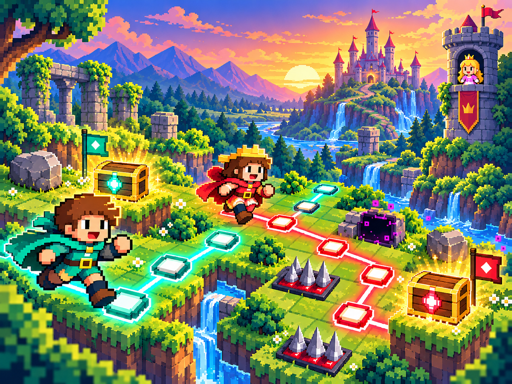
Circuit Stitch is a vibrant puzzle game where you draw magic routes through a grid of rune stones to guide pixel heroes safely past deadly hazards. Each level presents a unique challenge, combining strategy and creativity as you connect runes to move heroes toward hidden treasure. The game is both relaxing and engaging—like solving a magical maze where every line you draw matters.
What makes it fun is the balance of simplicity and depth. You don’t need to be a master strategist—just a bit of logic and patience. The colorful visuals, smooth animations, and hand-crafted puzzles keep each level fresh. As you progress, you’ll learn patterns, improve your planning, and feel a real sense of accomplishment when you recover the royal treasure.
How to play
- Drag your mouse or touch to draw a magic route through adjacent rune stones
- Drag backward over the current route to erase the latest segment
- Click or tap a relic, then a marked rune to place it
- Right-click a placed relic or hover and press R to rotate it
- Use the undo button or press Ctrl/Cmd + Z to go back
- Tap the clear button to remove all routes and relics
- Press the spacebar to start or stop the quest simulation
Tips
- Plan your route carefully before drawing—once a segment is placed, it’s hard to undo.
- Rotate relics when needed to match the rune alignment for better placement.
- Use the undo function to experiment without losing progress.
FAQ
- Is Circuit Stitch free? Yes, it is free to play.
- Can I play it on my phone or tablet? Yes, it works perfectly on mobile devices.
- How do I win or score? You win by guiding heroes safely to the treasure in each of the 36 handcrafted puzzle quests.
Play Circuit Stitch free on Asupergame—no download, no sign-up, just pure puzzle fun in your browser.