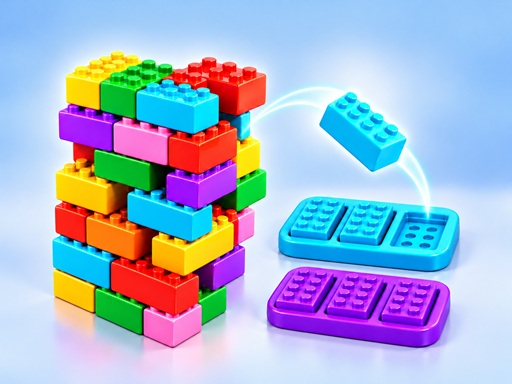
Brix Blast is a vibrant 3D puzzle game where you unstack colorful towers and match bricks to clear them. The game blends building and matching mechanics, giving you a satisfying sense of progress as you carefully arrange and remove bricks. With smooth rotation and intuitive controls, each move feels precise and rewarding—like assembling a real structure brick by brick.
The fun comes from the balance of strategy and creativity. You don’t just click and go—you must rotate towers to reveal hidden bricks, then choose the right order to remove them. As you match colors, the game automatically fills color trays, creating a chain reaction that keeps the gameplay flowing. It’s a calm, focused experience that feels both smart and playful, perfect for short sessions or relaxing breaks.
How to play
- Left-click (or tap) an exposed brick to remove it.
- Click and drag left or right to rotate the tower or collection model.
- Click "Build" to add a piece, or hold it to build faster.
- Click "Pause" to pause the puzzle at any time.
Tips
- Rotate towers slowly to see all exposed bricks—this helps you plan your moves.
- Look for color sets of three, as they automatically fill trays and create space.
- Use the "Build" hold feature to speed up adding pieces when you're confident about your next move.
FAQ
- Is Brix Blast free? Yes, it is completely free to play.
- Can I play it on my phone or tablet? Yes, it works smoothly on mobile devices too.
- Do I need to download or sign up? No, it runs in your web browser with no download or sign-up required.
Play Brix Blast free on Asupergame today and enjoy a smooth, no-install puzzle experience that’s both fun and easy to master.