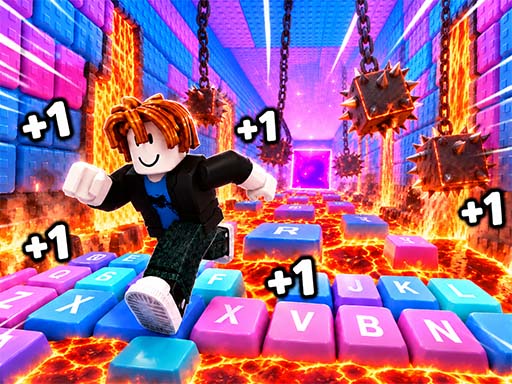
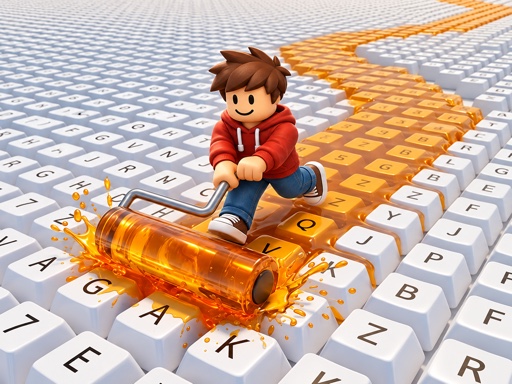
Obby: Paint My Keyboard is a fun and creative skill game where you turn a simple keyboard into a vibrant, expanding masterpiece. With every key you paint, you earn coins that help you unlock new colors, speed up your painting, and add more rows to your keyboard. The game blends simple mechanics with satisfying progression — it’s like building a digital art project that grows with your skills.
It’s addictive, relaxing, and full of creative possibilities. There’s no pressure to win — just enjoy the process of painting, collecting coins, and watching your keyboard grow bigger and brighter. Whether you’re painting for fun or just want a quick brain-break, this game offers a light, joyful experience that fits perfectly into a casual gaming routine.
How to play
- Move your character using WASD or arrow keys (on desktop) or the on-screen joystick (on mobile).
- Use the mouse (desktop) or touch (mobile) to control the camera and aim at unpainted keys.
- Approach unpainted keys and paint them to generate coins.
- Collect coins as they appear and spend them to buy new paints, speed upgrades, or new keyboard sections.
Tips
- Paint more keys to earn more coins faster and unlock new colors.
- Upgrade your painting speed to paint more keys in less time.
- Add new rows and sections to grow your keyboard — it makes your progress more visible and fun.
FAQ
- Is it free? Yes, Obby: Paint My Keyboard is completely free to play.
- Can I play on mobile? Yes, the game works on phones and tablets using touch controls.
- Do I need to sign up or download anything? No — it runs in your web browser with no download or sign-up required.
Play Obby: Paint My Keyboard free on Asupergame today and start creating your dream keyboard!