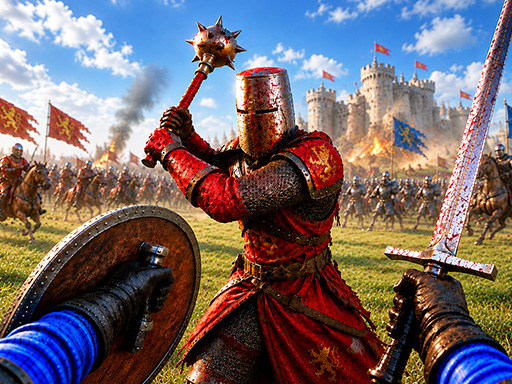
War The Knights is a fast-paced action game set in a medieval world where you lead squads of up to 200 warriors into intense, realistic battles. With a wide variety of weapons and battlefield strategies, each match feels unique—whether you’re charging with cavalry, arching from a distance, or defending with shields. The game blends real-time combat with tactical choices, making every battle a mix of skill, strategy, and adrenaline.
It’s fun because you don’t just fight—you lead. Choose your faction, master different weapons, and support allies in real time. From spear-armed infantry to bow-wielding archers, every unit has a role. With dynamic battlefields and special abilities, there’s always something new to discover. The blend of action and strategy keeps gameplay fresh and exciting.
How to play
- Use WASD to move around the battlefield
- Left mouse button attacks enemies
- Right mouse button activates protection and sight mode
- Middle mouse button throws weapons
- Press Z to crouch, E to interact with objects
- Shift lets you run faster
- Press 1 or 2 to switch between main weapons
- Use 3 or 4 to activate gadgets
- Press R to perform a "Cry" action
- Press G to throw a melee weapon
- Press F to kick an enemy
- Press P to open the pause menu
Tips
- Use crouching (Z) to avoid attacks and sneak past enemies.
- Combine throwing weapons (middle mouse) with shield defense to survive longer.
- Try different weapon combos—spears for close range, bows for long-range attacks.
FAQ
- Is War The Knights free? Yes, it is completely free to play.
- Can I play on my phone or tablet? Yes, it works perfectly on mobile devices as well as computers.
- How do I win? Victory comes from leading your army, using effective strategies, and surviving long enough to defeat the enemy faction.
Play War The Knights free on Asupergame today—no download, no sign-up, just pure medieval action in your browser.